Websites for cloud kitchens
Cloud kitchen websites for your brands, menus and direct orders
A delivery-only kitchen often runs several brands from one place. A website gives each brand a home of its own, and gives regular customers a direct way to order on WhatsApp.
The problem
What gets in the way for a cloud kitchen
Your brand only exists inside the apps
Without a website, the only place customers meet your food is a delivery-app listing, styled like every other listing.
Several brands, one confused customer
When one kitchen runs a biryani brand, a burger brand and a salad brand, customers can't tell how they connect or how to reach any of them directly.
Regulars have no direct line
Customers who order every week still go through an app, because there's no other way to order from you.
Delivery areas are unclear
People outside your radius find you, place an order and get cancelled, which helps nobody.
What to include
What your website should include, and why
- 01
A brand hub with a page for each brand
One address with each brand's menu and personality on its own page, all clearly run by your kitchen.
- 02
WhatsApp ordering with the order written out
The order button opens WhatsApp with a message listing what the customer wants, so you confirm and dispatch without back-and-forth.
- 03
Delivery areas and kitchen hours
The localities or PIN codes you serve, with your hours, let customers check before they order.
- 04
Links to every app you're on
Customers who prefer an app can still choose one, straight from your brand page.
- 05
Offers for direct customers
A section for deals you give people who order from you directly, which the apps won't show.
- 06
Your FSSAI details on every page
Customers ordering directly can see your registration details in the footer, wherever they land.
Most cloud kitchen websites are built as business websites; the other option is landing pages.
Suggested structure
The pages a cloud kitchen website usually needs
A starting point, adjusted to your business when we plan your website.
01Brand hub
- Our brands
- Order on WhatsApp
- Delivery areas
02Brand page
- Menu
- Bestsellers
- Order button
03How to order
- WhatsApp ordering
- Delivery charges
- Kitchen hours
04Delivery areas
- Localities
- PIN codes
- Minimum order
05Contact
- Phone
- FSSAI details
Two ways to take orders on your own website
Ordering directly can work in two ways. Here's the honest difference between them.
A cart, checkout and online payment
- Needs a payment gateway and an order system
- Costs more to build and to run
- Takes longer to set up and test
- Not something we build
Ordering on WhatsApp
- An order button with the items written out
- Works with the WhatsApp number you already use
- You confirm each order personally
- Built in with the WhatsApp button we add
Before you take orders directly
- Display your FSSAI licence or registration number on the website, as the rules for selling food online currently require.
- State delivery charges and areas clearly before customers order.
- Keep veg and non-veg marks accurate on every brand's menu: customers can't ask a waiter.
This is a summary to plan your website around, not legal advice. Please confirm the rules that currently apply to you; we build the website around what you confirm.
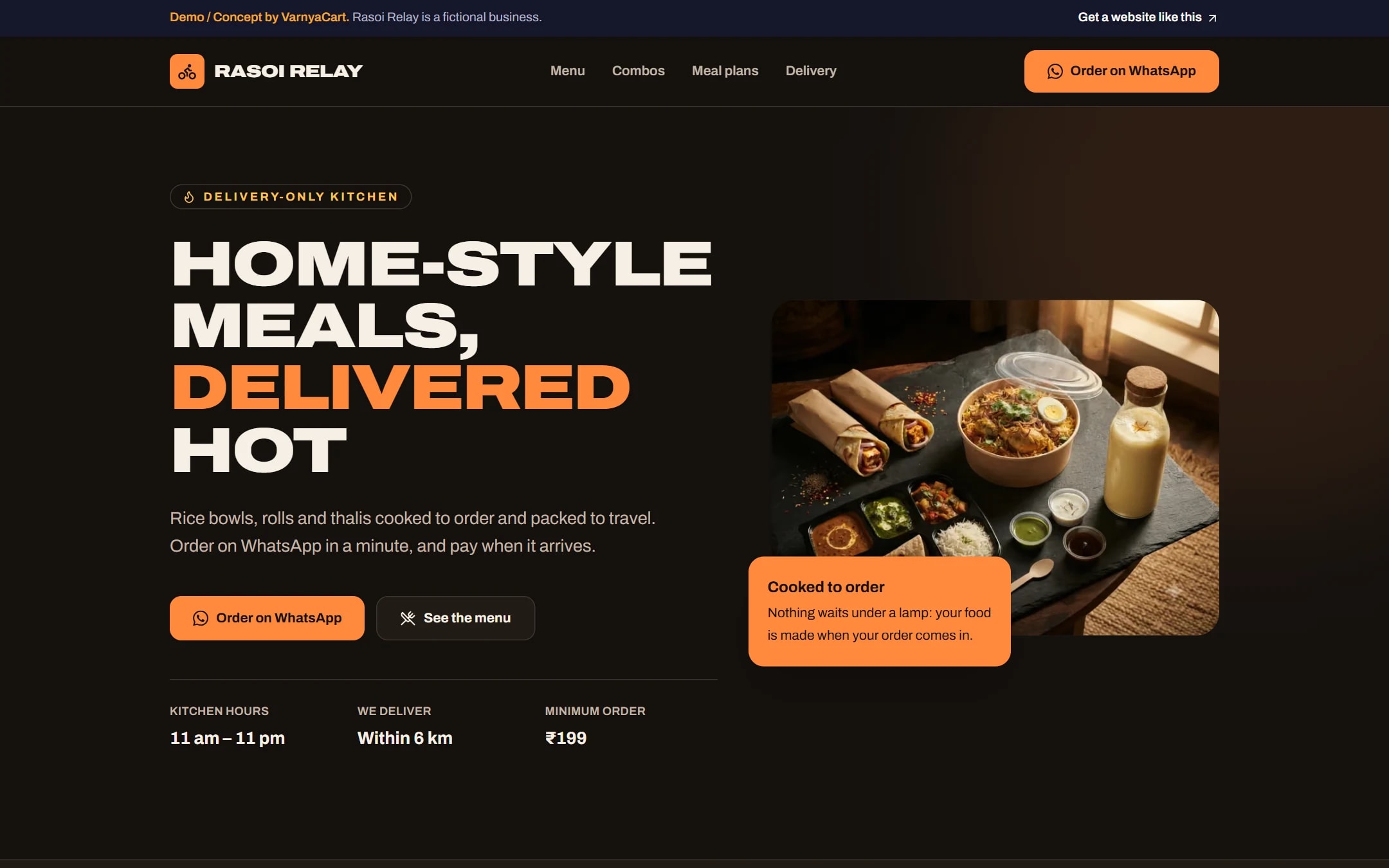
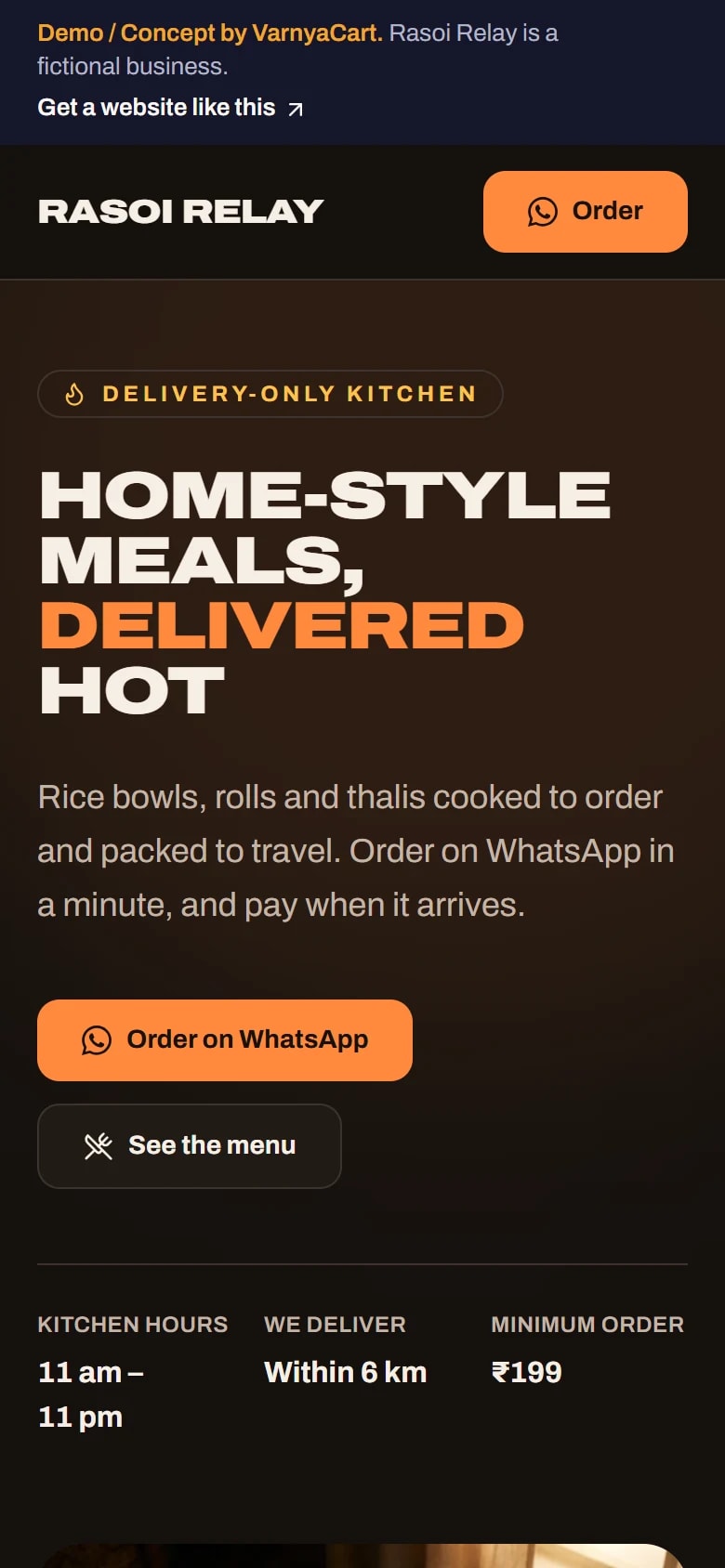
See the pattern in a working demo: Rasoi Relay
Rasoi Relay is a fictional cloud kitchen we built to show these ideas in practice. It isn't a client project.
How we build it
Five steps from brief to launch
- 01
Share your requirements
Tell us about your business, the pages you need and the features you want.
- 02
Plan the website
We organise your content, page structure and features.
- 03
Design and build
Your website is designed and built to the agreed requirements.
- 04
Review
You review the website and give feedback within the agreed scope.
- 05
Launch
After final checks, your website goes live.
Websites start at ₹2,999
The final price depends on the number of pages, features, integrations, custom functionality, content requirements and design complexity.
Digital marketing for cloud kitchens
Then help more customers find you
Once your website is live, we can set up your Google Business Profile for Google Maps, post on your Instagram and Facebook, and run Google, Facebook and Instagram ads that bring enquiries to your WhatsApp.
Launch offerThe All-in-One Digital Marketing Package for ₹4,999, for the first 20 businesses. Ad budget is separate and paid directly to Google/Meta.
FAQ
Questions cloud kitchen owners ask
Can customers order from my kitchen without a delivery app?
Yes, on WhatsApp. Your website's order button opens a chat with the order written out, and you confirm it directly. We don't build checkout or online payment systems.
Can one website cover all my kitchen's brands?
Yes. A brand hub lists every brand, and each brand gets its own page with its own menu and look, all under one address.
Will my own website affect my delivery-app listings?
No. Your app listings carry on as they are, and your website links to them for customers who prefer to order there.
How do I show the areas we deliver to?
A delivery-area section lists the localities or PIN codes you serve, with your kitchen hours, so customers can check before ordering.
Related industries
Websites for similar businesses
Restaurants
A menu that reads well on phones, table requests on WhatsApp and clear directions.
Bakeries
Cakes by occasion, eggless labels and custom-order requests that arrive with the details.
Let's plan your cloud kitchen website
Tell us about your business and what you want customers to do. We'll suggest the pages and features that fit.