Websites for restaurants
Restaurant websites with a real menu, easy reservations and clear directions
A menu guests can read on a phone, a simple way to ask for a table, and timings and directions that are always right. Here's what a restaurant website should include, and why.
The problem
What gets in the way for a restaurant
The menu online is out of date or unreadable
Prices change and dishes come and go, but the photo of a printed menu on a listing stays the same. On a phone, a PDF or photo menu means pinching and zooming.
Table requests arrive in pieces
One guest calls, another sends a DM, a third messages on WhatsApp, and each leaves out the date, the time or how many people are coming.
The basics take too long to find
Guests want your timings, location, parking and phone number in seconds, often while they're already deciding where to eat.
Delivery apps hold the spotlight
On a delivery app, your restaurant is one listing among hundreds. Your own website is the one place online that presents it entirely on your terms.
What to include
What your website should include, and why
- 01
A text menu, not a PDF
Text loads quickly on mobile data, can be read by search engines, and only one line needs to change when a price does.
- 02
Veg and non-veg marks on every dish
Diners look for these first, and the familiar green and brown symbols answer the question before anyone has to ask.
- 03
A “Reserve on WhatsApp” button
It opens a chat with a ready message asking for the date, time and number of guests, so requests arrive complete.
- 04
A QR code page for your tables
The QR code on each table opens your menu page, so guests always see today's dishes and prices, not last season's.
- 05
Timings, map and tap-to-call together
Hours, your Google Maps location and phone number on one screen help guests who are choosing where to eat right now.
- 06
Offers, events and private dining
Weekday specials, festive menus and party enquiries get a permanent place instead of vanishing down a social feed.
Most restaurant websites are built as business websites; the other option is landing pages.
Suggested structure
The pages a restaurant website usually needs
A starting point, adjusted to your business when we plan your website.
01Home
- Signature dishes
- Timings today
- Reserve button
02Menu
- Categories
- Veg and non-veg marks
- Prices
03Reservations
- How to reserve
- Private dining
- Set menus
04Gallery
- Dishes
- Interior
- Events
05Visit us
- Map and directions
- Parking
- Phone and WhatsApp
Why a web menu works better than a PDF
Most restaurants start with a photo or PDF of the printed menu. A menu written as part of the web page is easier for guests, and for search engines.
Photo or PDF menu
- Guests pinch and zoom to read it on a phone
- A large file to download on mobile data
- Search engines can't read the dishes in it
- Every price change means making a new file
Menu written into the page
- Reads naturally on any screen size
- Appears almost instantly
- Dishes can be found through search
- A price change is a quick text edit
Worth checking before you publish
- If your website takes food orders, including on WhatsApp, display your FSSAI licence or registration number as currently required.
- Use the same veg and non-veg marks as your printed menu, so the two never disagree.
- Show photos of your own dishes and dining room, so guests get what they see.
This is a summary to plan your website around, not legal advice. Please confirm the rules that currently apply to you; we build the website around what you confirm.
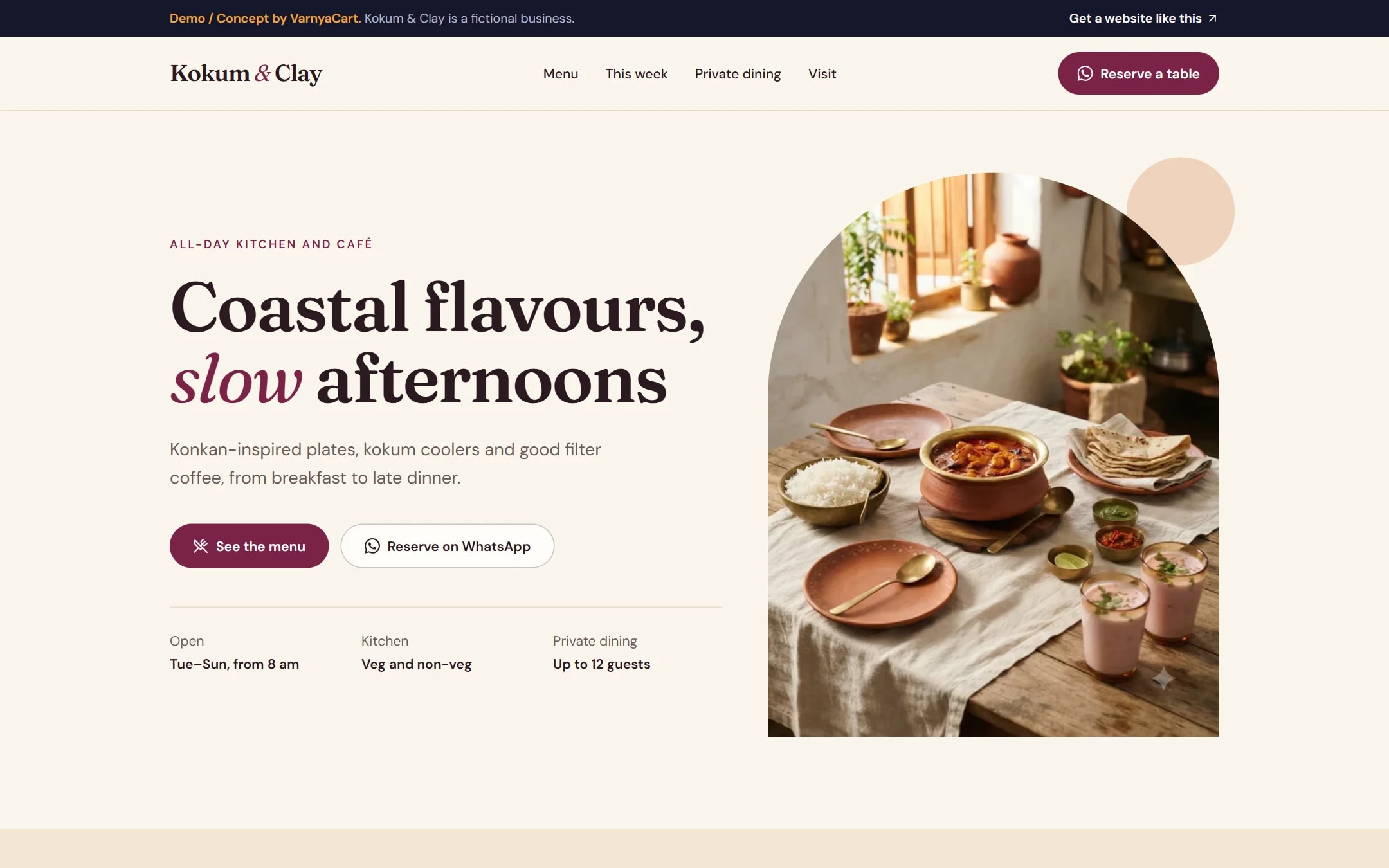
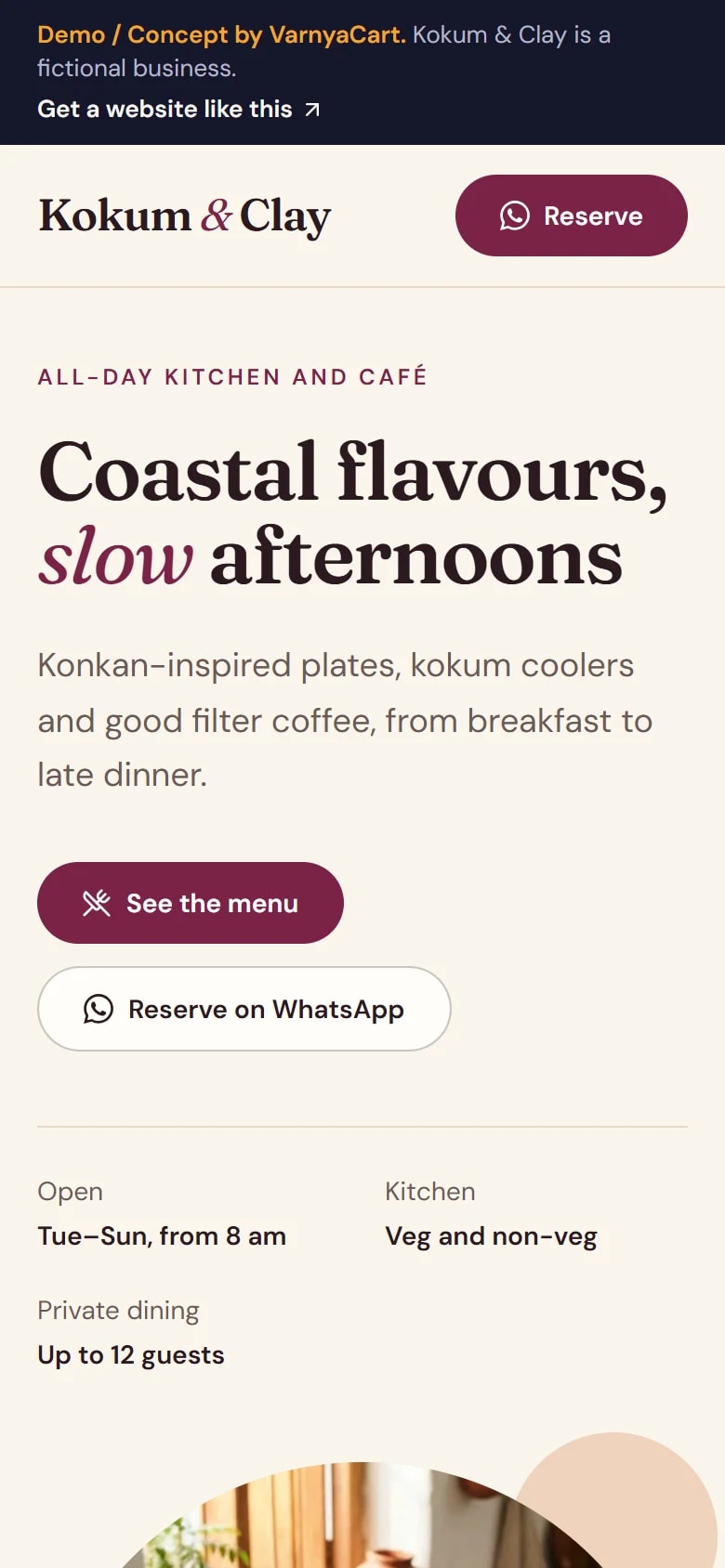
See the pattern in a working demo: Kokum & Clay
Kokum & Clay is a fictional restaurant and café we built to show these ideas in practice. It isn't a client project.
How we build it
Five steps from brief to launch
- 01
Share your requirements
Tell us about your business, the pages you need and the features you want.
- 02
Plan the website
We organise your content, page structure and features.
- 03
Design and build
Your website is designed and built to the agreed requirements.
- 04
Review
You review the website and give feedback within the agreed scope.
- 05
Launch
After final checks, your website goes live.
Websites start at ₹2,999
The final price depends on the number of pages, features, integrations, custom functionality, content requirements and design complexity.
Digital marketing for restaurants
Then help more customers find you
Once your website is live, we can set up your Google Business Profile for Google Maps, post on your Instagram and Facebook, and run Google, Facebook and Instagram ads that bring enquiries to your WhatsApp.
Launch offerThe All-in-One Digital Marketing Package for ₹4,999, for the first 20 businesses. Ad budget is separate and paid directly to Google/Meta.
FAQ
Questions restaurant owners ask
Can I change my menu prices myself?
Not from a dashboard: our websites don't include one for editing content yourself. Tell us how often your menu changes when you enquire, and we'll explain how updates can be handled.
Can guests order food from my restaurant's website?
Guests can send an order to you on WhatsApp, and your website can link to the delivery apps you're listed on. We don't build online payment systems.
How does a QR code menu work?
Your menu gets its own page with a short web address. A QR code for each table opens that page, so guests see the current menu without downloading anything.
Will a website put my restaurant on Google Maps?
Maps listings come from a Google Business Profile, which is separate from a website. Your website shows your Maps location with directions, and your profile can link back to your website.
Can guests ask to book the whole restaurant for a party?
Yes, as a request. A private dining section explains your capacity and set menus, and a WhatsApp button lets guests ask about their date. You confirm each booking yourself.
Related industries
Websites for similar businesses
Cafes
One link for your space, menu highlights, events and timings, made for Instagram visitors.
Cloud kitchens
A home for each brand, clear delivery areas and direct WhatsApp orders next to the apps.
Catering businesses
Sample menus, event types and enquiries that arrive with the date, guests and venue.
Let's plan your restaurant website
Tell us about your business and what you want customers to do. We'll suggest the pages and features that fit.