Websites for diagnostic centres
Diagnostic centre websites with test information, home-collection requests and report access
Patients look up a test, its preparation and its price, then want a sample collected at home and a report they can find. A diagnostic centre website brings all of that into one place.
The problem
What gets in the way for a diagnostic centre
“Do I need to fast?”
Preparation questions about fasting, timing and medicines come up for common tests every single day.
Home collection is arranged by phone
Patients call to arrange a collection, then call again to confirm the time and the address.
“When will my report be ready?”
Patients call to ask when reports will be ready and how to get hold of them.
Packages are hard to compare
Health check-up packages list dozens of tests, and patients can't tell which one suits them.
What to include
What your website should include, and why
- 01
A test list by name and category
Tests listed A to Z and grouped by category, with prices you choose to show, help patients find what their doctor asked for.
- 02
Preparation notes for each test
Fasting, timing and medicine instructions beside each test prevent wasted visits and repeat samples.
- 03
Health packages compared
Packages side by side, with who each is meant for, help patients choose without a call.
- 04
Home-collection requests on WhatsApp
A button opens a chat with prompts for the tests, the area and a preferred time slot.
- 05
A link to your reports portal
If your lab software has a patient portal, the website sends patients straight to it.
- 06
Collection centres and timings
Every centre's address, hours and map, so patients can head to the nearest one.
Most diagnostic centre websites are built as business websites; the other option is custom websites.
Suggested structure
The pages a diagnostic centre website usually needs
A starting point, adjusted to your business when we plan your website.
01Home
- Popular tests
- Home collection
- Reports
02Tests
- A to Z
- Preparation notes
03Health packages
- Compare packages
- Who each is for
04Home collection
- Areas
- Time slots
- Request
05Centres
- Addresses
- Hours
- Maps
What each test listing should tell a patient
Most calls to a lab are about one of these points. Answering them in each listing helps patients arrive prepared.
- The test's common name, and any other names it goes by
- Sample type: blood, urine or other
- Preparation: fasting hours, medicines and timing
- When the report is usually ready
- Whether home collection is available
- The price, if you choose to show it
Accuracy rules for a lab website
- Show accreditation such as NABL only if your lab currently holds it, and only for the tests it covers.
- Have the lab review every test description and preparation note.
- Keep prices and report times accurate, or leave them out.
This is a summary to plan your website around, not legal advice. Please confirm the rules that currently apply to you; we build the website around what you confirm.
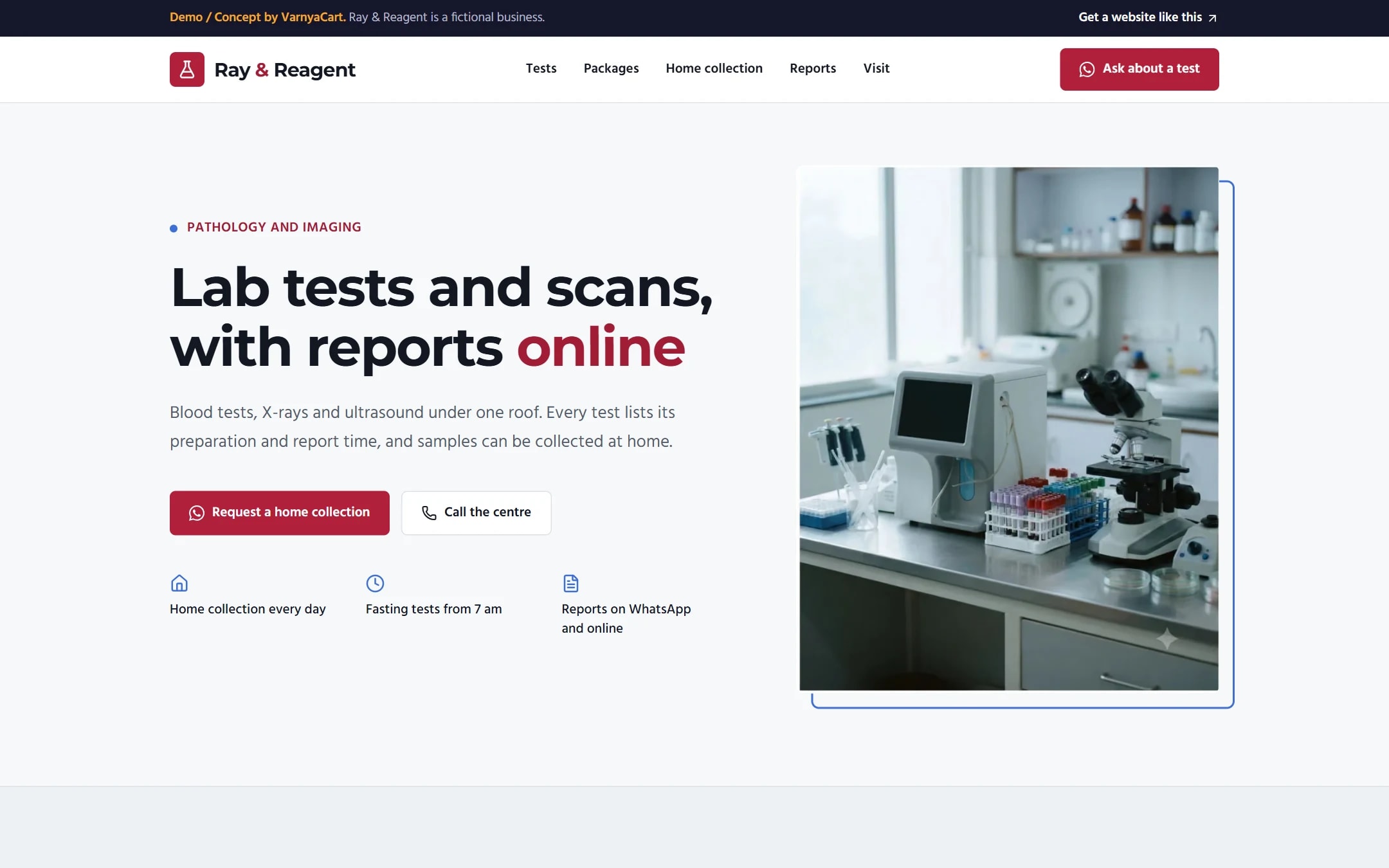
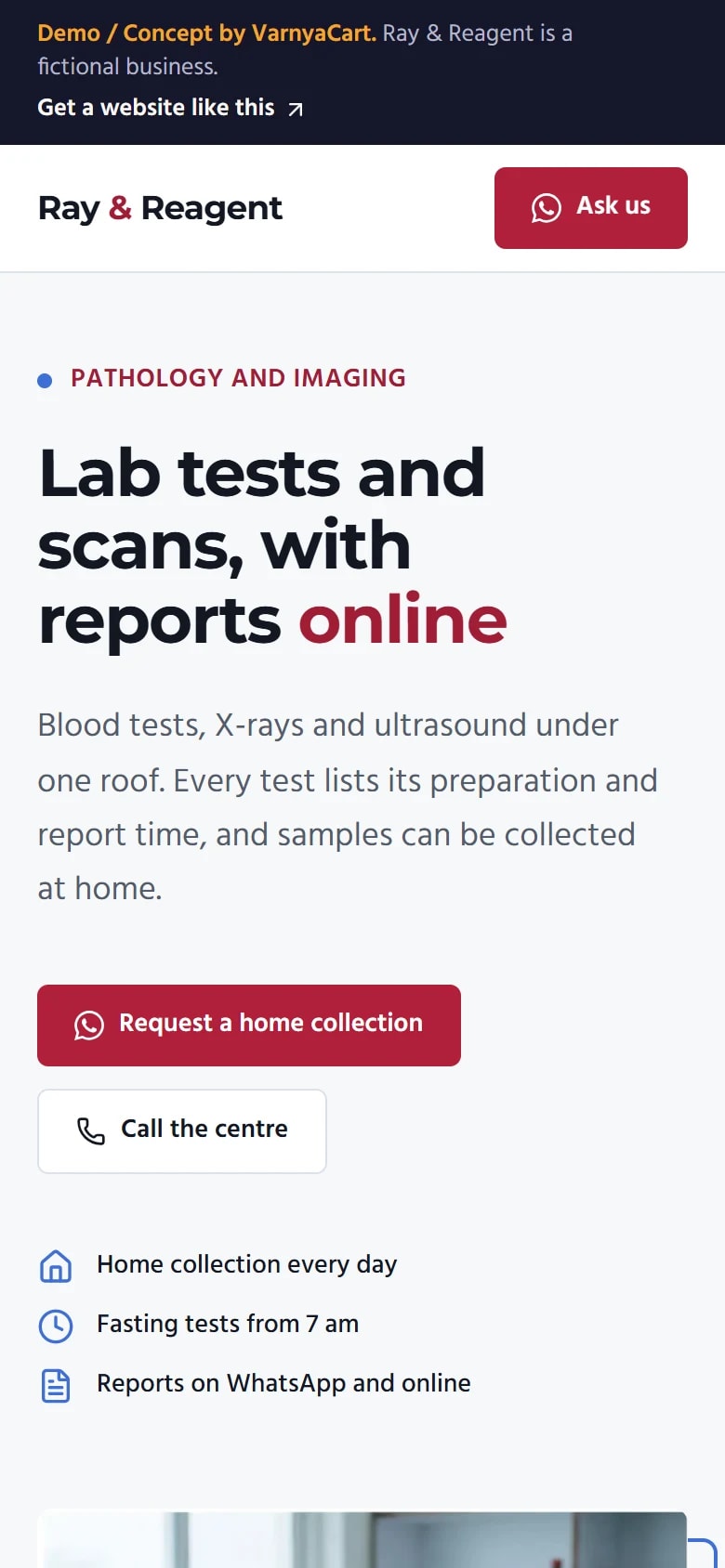
See the pattern in a working demo: Ray & Reagent
Ray & Reagent is a fictional diagnostic centre we built to show these ideas in practice. It isn't a client project.
How we build it
Five steps from brief to launch
- 01
Share your requirements
Tell us about your business, the pages you need and the features you want.
- 02
Plan the website
We organise your content, page structure and features.
- 03
Design and build
Your website is designed and built to the agreed requirements.
- 04
Review
You review the website and give feedback within the agreed scope.
- 05
Launch
After final checks, your website goes live.
Websites start at ₹2,999
The final price depends on the number of pages, features, integrations, custom functionality, content requirements and design complexity.
Digital marketing for diagnostic centres
Then help more customers find you
Once your website is live, we can set up your Google Business Profile for Google Maps, post on your Instagram and Facebook, and run Google, Facebook and Instagram ads that bring enquiries to your WhatsApp.
Launch offerThe All-in-One Digital Marketing Package for ₹4,999, for the first 20 businesses. Ad budget is separate and paid directly to Google/Meta.
FAQ
Questions diagnostic centres ask
Can patients download reports from our website?
If your lab software has a patient portal, your website links straight to it. Building a reports portal isn't part of what we make.
Should we list test prices?
Many patients compare on price, so listing prices helps. List them only if they'll be kept accurate, since an outdated price leads to disputes at the counter.
How do patients request home sample collection?
A WhatsApp button opens a chat with prompts for the tests, their area and a preferred time slot, and your team confirms the visit.
Can we show our NABL accreditation?
Yes, if your lab currently holds it, and only for the tests and locations it covers. Showing it otherwise misleads patients.
Related industries
Websites for similar businesses
Clinics
Doctor profiles, OPD timings by doctor, speciality pages and appointment requests.
Dentists
Clear treatment pages, dentists with registration details and appointment requests.
Physiotherapists
Conditions treated, home-visit areas, session packages and session requests on WhatsApp.
Let's plan your diagnostic centre website
Tell us about your business and what you want customers to do. We'll suggest the pages and features that fit.