Websites for tutors
Websites for home and online tutors: subjects, availability and trial-class requests on one page
Parents want to check a tutor's qualifications, subjects and availability before the first class. A one-page tutor website answers all of it in a link you can share on WhatsApp.
The problem
What gets in the way for a tutor
Parents want to check you first
Before trusting someone with their child's studies, parents want to see your qualifications and experience somewhere other than a chat.
The same details, typed again and again
Subjects, boards, classes and whether you teach at home or online get explained to every new parent.
Availability and fees in every conversation
Which days you're free and what you charge come up in every first chat.
Referrals need something to forward
Most students arrive by word of mouth, and a forwarded phone number says nothing about you.
What to include
What your website should include, and why
- 01
A one-page profile
Your name, qualifications, teaching experience and approach, on a page you can share anywhere.
- 02
A subject and board grid
Subjects against boards and classes, such as CBSE, ICSE or a state board, show at a glance what you teach.
- 03
Home, online or both
The areas you travel to for home tuition, or the platform you teach on, stated clearly.
- 04
An availability table
The days and times you have free, so parents only ask about slots that exist.
- 05
Trial-class requests on WhatsApp
A button opens WhatsApp with prompts for the student's class, board and subject.
- 06
Answers for parents on the page
Fees, homework, tests and how progress is shared, answered once in a short FAQ.
Most tutor websites are built as landing pages.
Suggested structure
The sections a tutor's one-page website needs
A starting point, adjusted to your business when we plan your website.
01Profile
- Qualifications
- Experience
- Approach
02Subjects
- Subjects and boards
- Classes
03Modes and areas
- Home tuition areas
- Online classes
04Availability
- Days and times
- Fees
05Trial class
- WhatsApp request
- Parent FAQ
What parents look for on a tutor's page
A parent choosing a tutor usually wants these answered before anything else.
- Qualifications and teaching experience
- Subjects, boards and classes
- Home tuition areas or online mode
- Free days and times
- Fees and how they're paid
- How progress is shared with parents
Worth checking before you publish
- List only qualifications and experience that are genuine.
- Share students' results only with consent; the 2024 guidelines on coaching advertisements may apply to results claims.
This is a summary to plan your website around, not legal advice. Please confirm the rules that currently apply to you; we build the website around what you confirm.
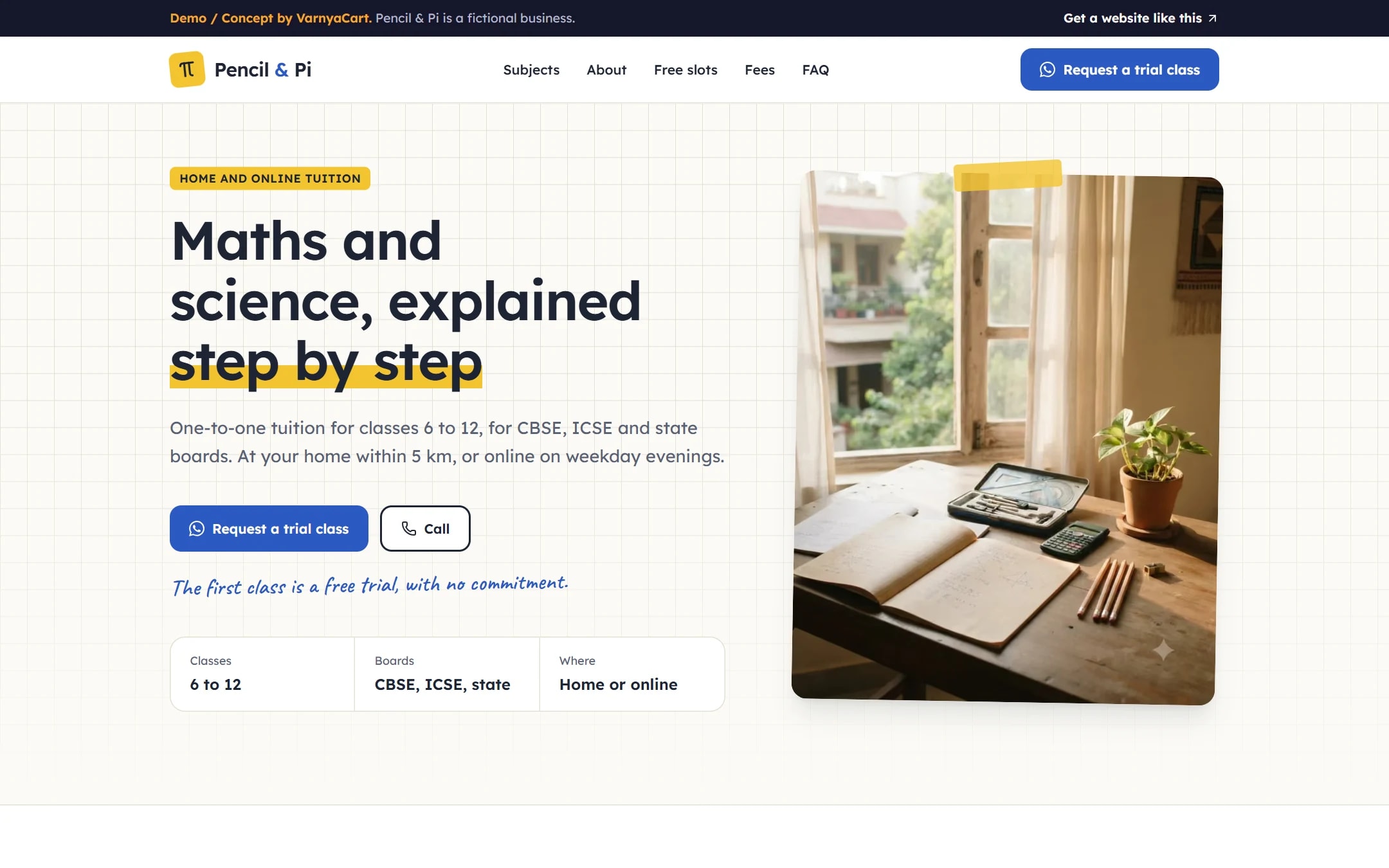
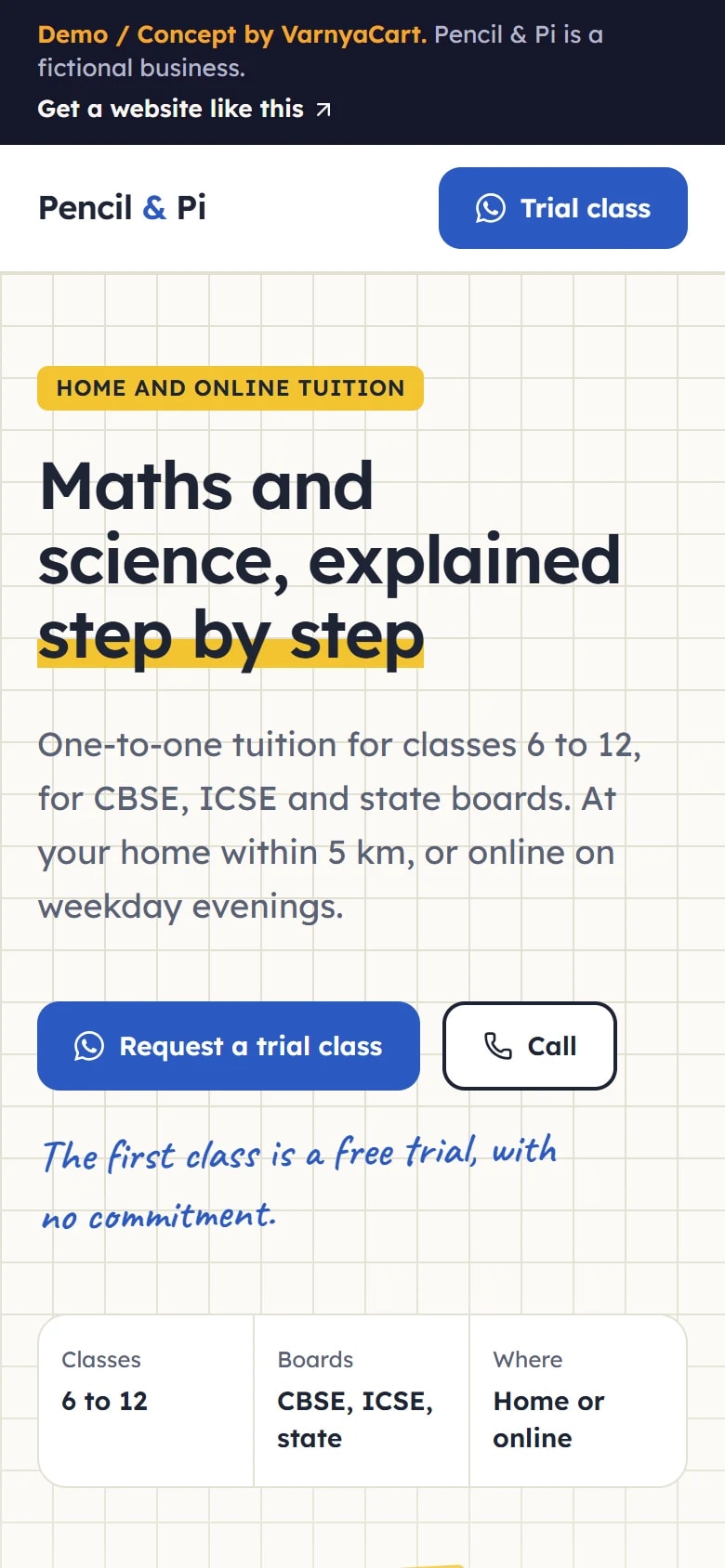
See the pattern in a working demo: Pencil & Pi
Pencil & Pi is a fictional home and online tutor we built to show these ideas in practice. It isn't a client project.
How we build it
Five steps from brief to launch
- 01
Share your requirements
Tell us about your business, the pages you need and the features you want.
- 02
Plan the website
We organise your content, page structure and features.
- 03
Design and build
Your website is designed and built to the agreed requirements.
- 04
Review
You review the website and give feedback within the agreed scope.
- 05
Launch
After final checks, your website goes live.
Websites start at ₹2,999
The final price depends on the number of pages, features, integrations, custom functionality, content requirements and design complexity.
Digital marketing for tutors
Then help more customers find you
Once your website is live, we can set up your Google Business Profile for Google Maps, post on your Instagram and Facebook, and run Google, Facebook and Instagram ads that bring enquiries to your WhatsApp.
Launch offerThe All-in-One Digital Marketing Package for ₹4,999, for the first 20 businesses. Ad budget is separate and paid directly to Google/Meta.
FAQ
Questions tutors ask
Is one page enough for a tutor?
Usually, yes. One page with your profile, subjects, availability and a trial-class button covers what parents need, and it's quick to share.
How do parents request a trial class?
A WhatsApp button opens a chat with prompts for the student's class, board and subject, and you agree the trial time directly.
Can I mention my students' results?
Only with consent, and carefully: results claims may fall under the 2024 guidelines on coaching advertisements. Never imply guaranteed marks.
Should my tutor page show fees?
If your fees are fixed, showing them saves a conversation. If they vary by class or subject, a starting fee works.
Can I share my page on WhatsApp?
Yes. It's a normal web link, and it shows a preview with your name and a short description when shared.
Related industries
Websites for similar businesses
Coaching institutes
Course and batch pages, real faculty, clear fees and a results page that follows the rules.
Training institutes
Module-wise courses, genuine certifications, batch calendars and corporate training.
Let's plan your tutor website
Tell us about your business and what you want customers to do. We'll suggest the pages and features that fit.